PeterPan

PeterPan adds front-to-back depth to stereo positioning — an aspect that traditional pan knobs usually leave out.

By combining classic level-based panning with subtle micro-timing differences, PeterPan lets you place sounds in a two-dimensional stereo field — without adding reverb, room simulation or spectral coloration. Open the Master View to see and edit all instances together in one shared spatial map.

  • Single View for fast two-dimensional Pan/Depth placement
  • Master View: see and edit all instances in context
  • Global Stage Trim for whole-field depth and width adjustments
  • Free 14-day trial

A panner for one source. A map for the whole mix.

Work quickly in Single View, then step back and arrange the full panorama in the Master View.

PeterPan Single View with XY position field, depth and pan controls
Single View: place the current source with Pan and Depth.

A new dimension for your mix

The Single View is the focused editor for the current instance. The horizontal axis controls left/right position. The vertical axis controls Depth — blending from classic level-based panning toward micro-timing based placement, which can create a stronger sense of front-to-back distance.

This gives you a much more flexible way to place a signal: direct and centered, wide and spacious, or anything in between.

The Bass to Center slider helps anchor low frequencies toward the middle, keeping the low end focused.

  • Intuitive and quick access to delay-based panning
  • Dedicated Pan and Depth sliders for precise edits
  • Animated rings visualize mid energy, side energy and spatial movement
  • Bass to Center keeps low frequencies focused when needed
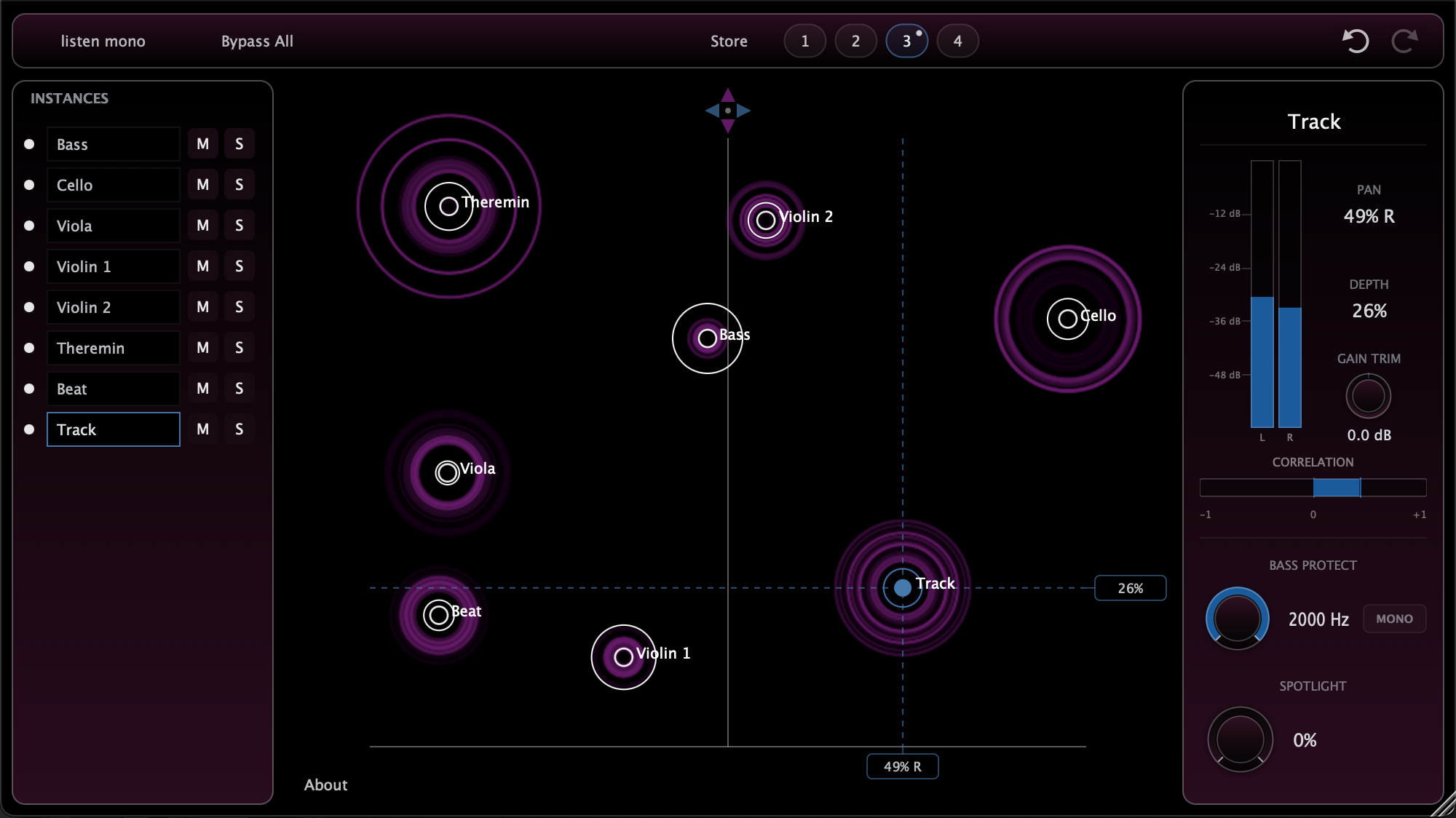
PeterPan Master View showing multiple plugin instances in a shared stereo field
Master View: all visible PeterPan instances in one shared spatial map.

See the whole panorama at once

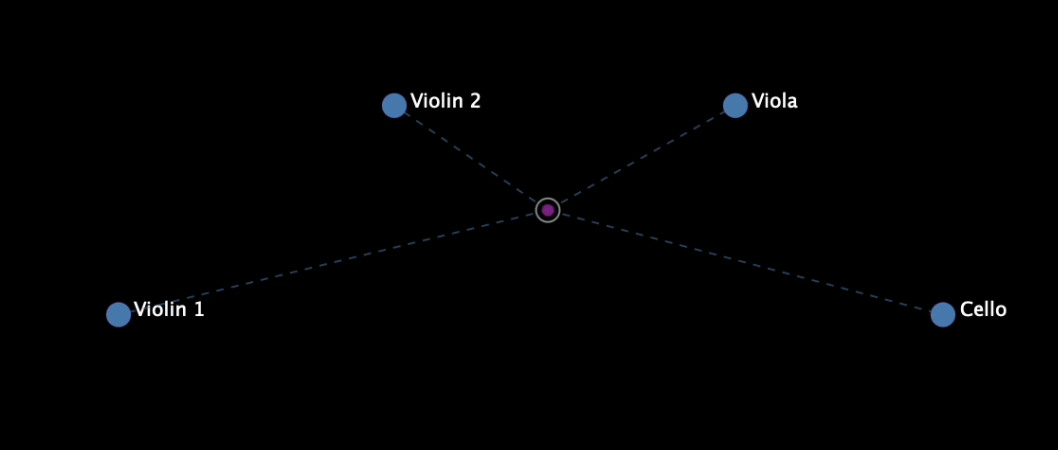
The Master View is where PeterPan becomes more than a panner. Every visible instance appears as a dot in the same stereo field, so you can judge spacing, depth and balance in relation to the rest of the session.

Move one source, or group-select many to drag them together. Build a complete stereo layout without opening every plugin insert one by one.

With Global Stage Trim, you can adjust the width and depth of all visible instances at once while preserving their spatial relationships.

  • Shared overview of all visible plugin instances
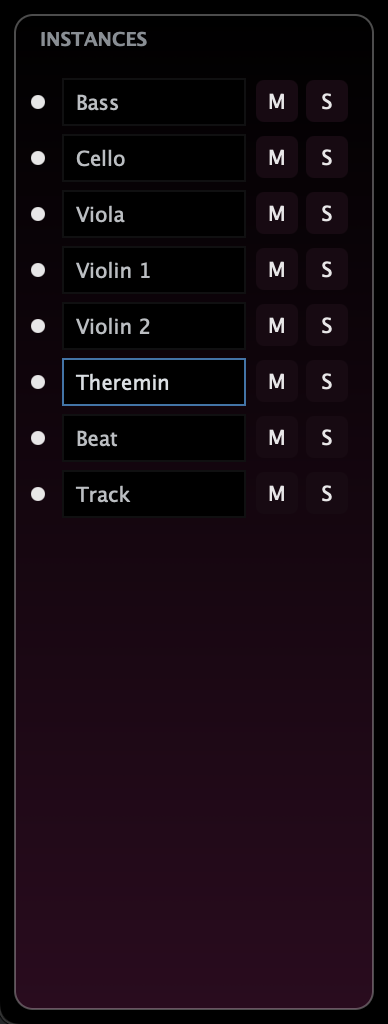
  • Custom track names for orientation
  • Mute, Solo and visibility controls for focused work
  • Group selection and group movement directly inside the map
  • whole-field trimming of depth and width
That is the workflow shift.

Panning stops being a row of unrelated knobs and becomes something you can see, compare and edit as one spatial picture.

Formats
VST3 / AU / AAX
OS
macOS / Windows
Version
0.9

Manual

A compact guide to the main controls and the idea behind them.

Concept

Traditional DAW panning mainly changes the level balance between left and right. PeterPan adds a second spatial cue: very small timing differences between the channels.

This also happens naturally in stereo microphone setups such as AB, ORTF or other spaced configurations. As soon as there is distance between two microphones, a sound arriving from the left reaches the left microphone slightly earlier than the right one.

This is closely tied to how we perceive depth: nearby sources create stronger level differences between left and right, making their position feel more direct and upfront. With greater distance, those level differences become subtler, while tiny timing differences between the channels play a larger role in how we locate the sound.

PeterPan lets you blend between these cues. Low Depth settings behave more like classic level panning. Higher Depth settings introduce micro delays, creating a wider and more spacious placement without adding reverb or simulating a room.

The goal is simple: give you an intuitive interface for controlling these spatial relationships quickly — across one source, a group of sources, or an entire session.

Single View Position one source

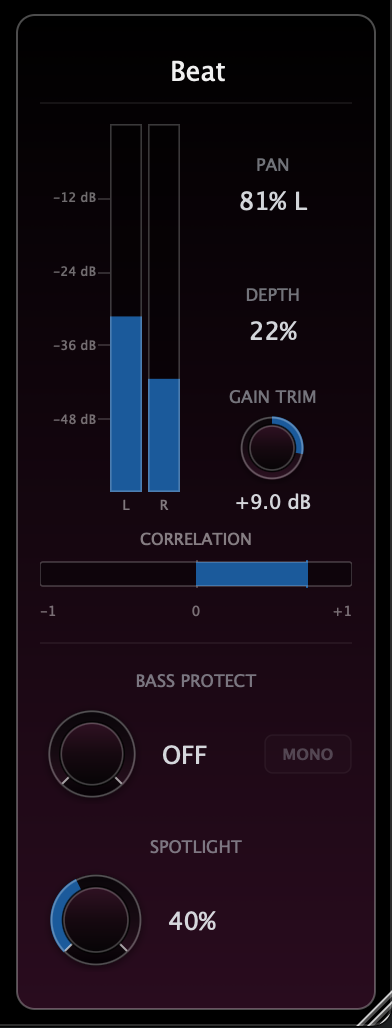
Single View controls the current plugin instance. Use the XY Pad for direct placement or the sliders for precise Pan and Depth edits. The dot represents the source position, while the animated rings show the signal’s stereo behavior while audio is playing.

Pan

Moves the source left or right in the stereo field. Values are shown as left/right percentages for quick orientation.

Depth

Blends from level-based panning toward delay-based depth. Values are shown from 0% to 100%.

Master View See and edit the whole session

Master View shows all visible PeterPan instances in a shared spatial map. This lets you arrange sources in relation to each other instead of switching between isolated plugin windows.

  • Click a dot to select one instance
  • Draw a box to select multiple instances
  • Drag selected dots as a group
  • Use the sidebar to mute, solo, show or hide instances
  • Use custom instance names to keep large sessions readable

Metering follows the audible state: muted sources, hidden sources and sources excluded by Solo do not keep visually moving as if they were still active.

Global Stage Trim Adjust the whole spatial layout

Individual placement is only one level of control. PeterPan also lets you adjust the spatial layout as a whole. Global Stage Trim works on all visible instances in Master View.

Click and drag the little four-arrow symbol on top of the middle axis vertically to scale the whole stereo field at once.

Global Depth Trim

Drag vertically to increase or reduce the Depth of all visible instances while keeping their relative depth relationships intact.

Global Pan Spread Trim

Drag horizontally to scale the pan spread around the center. This quickly narrows or widens the whole visible layout.

Hold Shift while dragging to adjust Depth and Pan Spread together. This is useful for quick A/B decisions: flatter vs. deeper, tighter vs. wider, without reopening every individual plugin.

Global Stage Trim control in PeterPan Master View
Global Stage Trim control in the Master View.
Bass to Center Anchor the low end without flattening the image

Wide low end can feel impressive, but it can also create translation problems on headphones, clubs, small speakers or mono playback systems. Sometimes it is better to keep the low end centered to prevent the mix from falling apart.

Bass to Center focuses low frequencies toward the middle by filtering the Side signal below the chosen frequency. The result is a more stable low end while the upper stereo image stays alive.

Listen Mono Check translation instantly

Depth based on micro-timing can change the tone when left and right are summed to mono. That is a normal part of many stereo techniques, but it should be easy to check.

Listen Mono lets you quickly judge mono compatibility. In Single View it checks the current instance. In Master View it works globally, so you can hear the whole PeterPan panorama in mono with one click.

Routing Mono-to-Stereo or Stereo-to-Stereo

PeterPan is designed as a Mono-to-Stereo or Stereo-to-Stereo plugin. The output must be stereo, even when the source signal is mono.

Depending on the DAW, you may need to place it on a stereo channel, use a mono-to-stereo insert variant, or route a mono source into a stereo path. Once the output is stereo, PeterPan can create both classic pan placement and depth-based timing cues.

Recommended workflow Fast setup for dense sessions

Start by naming each instance clearly. Open Master View, hide anything you do not need, and use Solo or Mute to focus on groups like backing vocals, percussion, layered synths, orchestral sections or sound design elements.

Place individual sources first. Then use Global Stage Trim to fine-tune the whole spatial picture without destroying the relative relationships between sounds.

FAQ

Is there a Trial version?

Yes – just download the plugin and activate your 14-day trial. No accounts, no ads.

Where can I get a license?

PeterPan is currently in the beta testing phase. Licenses will be available soon.

Ready for a new way of panning?

Download PeterPan now and start the free trial with one click